Tiếng Việt
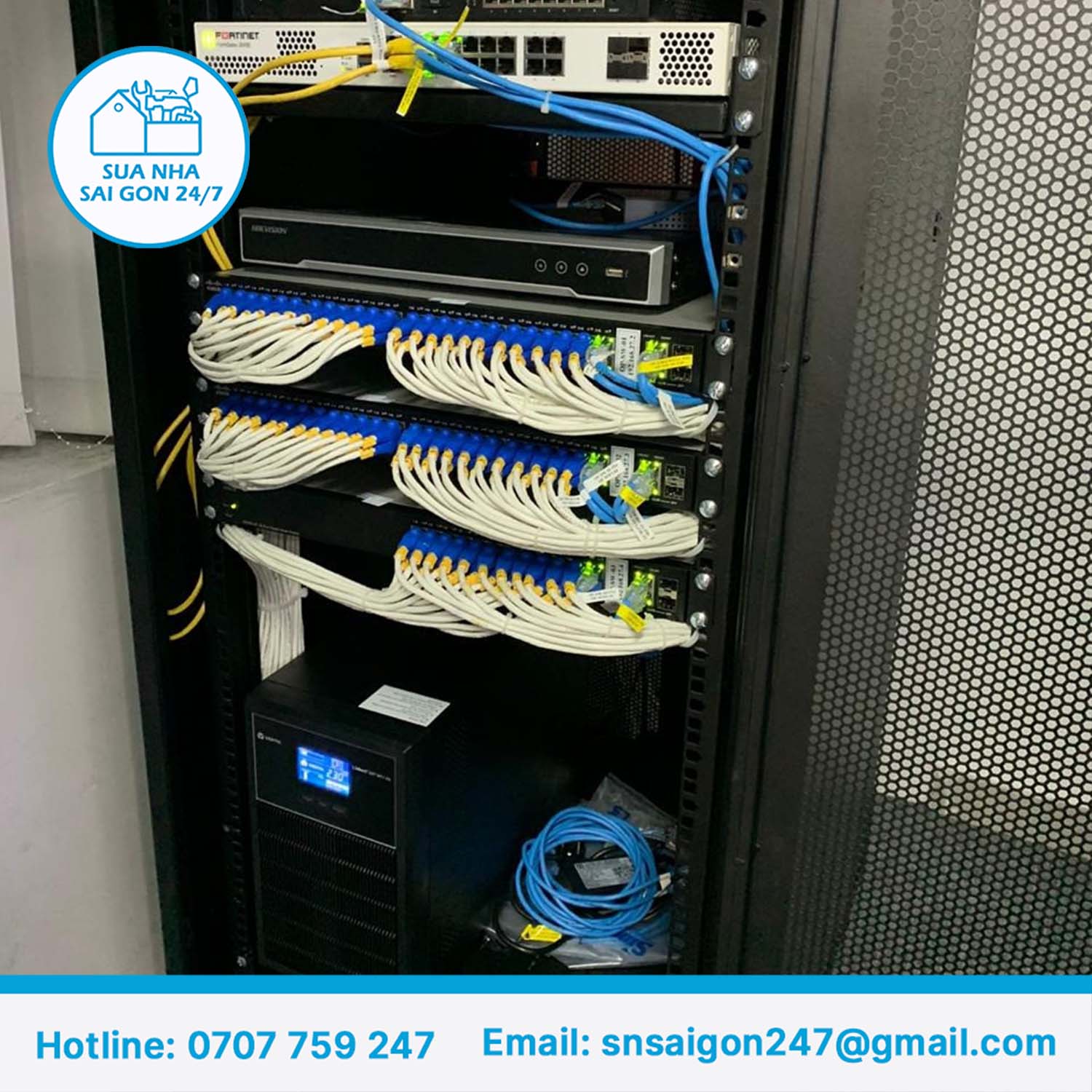
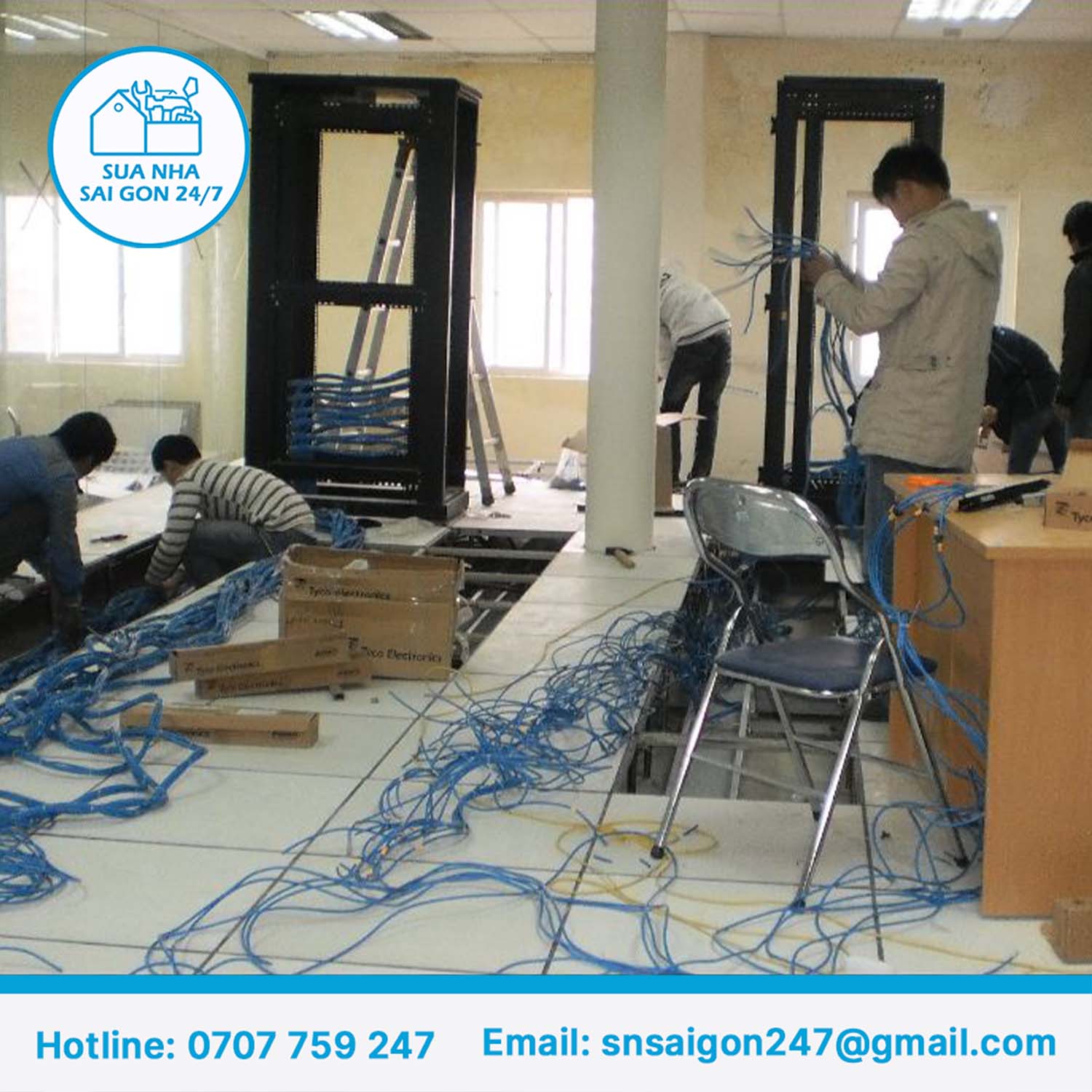

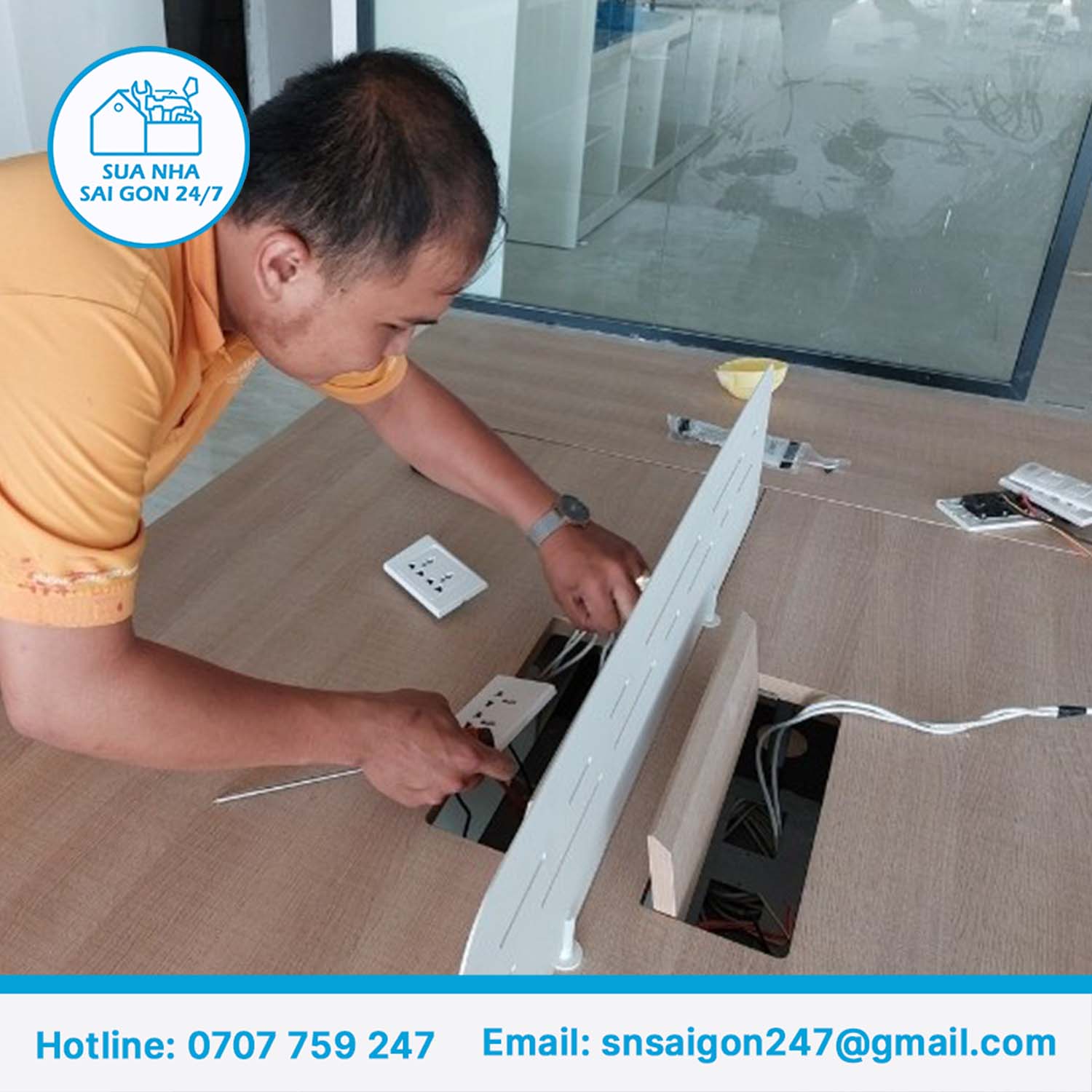


Office LAN installation is a service covering network design, cable pulling, rack and network equipment installation, and connection to every workstation, ensuring a stable network that can scale as the office grows. Sai Gon Home Repair 247 provides full-package office LAN installation in Ho Chi Minh City in 2026, with a transparent quote by category and a VAT invoice on request.
What Is Office LAN Installation?
Office LAN installation is the process of building a wired internal network infrastructure, connecting computers, printers, cameras, and other office equipment into one stable network.
The work includes surveying the site, designing a cabling layout suited to the desk arrangement, running network cable from the central rack to each workstation, terminating RJ45 connectors, testing the signal, and labeling every network point for easier management and future repairs.
When Does an Office Need New or Upgraded LAN Installation?
The need for LAN installation typically comes up at a few specific points in an office’s lifecycle.
- Moving to a new office: the space has no existing network infrastructure, or the old system doesn’t meet current needs.
- Expanding headcount: the existing number of network points isn’t enough once the office hires more staff or opens up new work areas.
- Frequent slow speeds or dropped connections: a sign of aging cabling, poor-quality terminations, or outdated network equipment.
- Renovating the office: a convenient time to standardize a network wiring system that’s grown messy and patched together after repeated repairs.
- Adding a camera system, IP phones, or stronger Wi-Fi: these systems typically share the same cabling infrastructure as office computers.
What’s Included in a Full-Package Office LAN Installation
A full-package LAN installation project typically covers the following main categories.
- Survey and cabling layout design suited to the desk arrangement and future expansion plans.
- Cable pulling from the central rack to every workstation.
- Rack and network equipment installation — switches, patch panels, and routers as needed.
- RJ45 connector termination at both ends of each cable, to proper technical standard.
- Signal testing and labeling of every network point, for easier management and troubleshooting.
- Wi-Fi integration (if needed): installing and configuring access points based on the wired network infrastructure already in place.
If your office also needs electrical work done at the same time, see our office electrical installation service in Ho Chi Minh City to combine both categories in a single project, saving time and coordination costs.
Common Types of Network Cable Used in Offices
Choosing the right cable type directly affects the network’s speed and long-term stability.
- Cat5e cable: handles basic usage well and costs less, suited to small offices without heavy network demands.
- Cat6 cable: transmits data faster and stays more stable over longer distances, suited to offices with heavy data needs or that want the infrastructure ready for future upgrades.
- Indoor fiber optic cable: used for main trunk lines between racks or connections between floors in a multi-story office.
For most small and mid-sized offices, Cat5e is enough for day-to-day use; Cat6 is worth considering when the office plans to expand or uses data-heavy equipment like high-resolution camera systems.
Surface-Mounted, Trunking, or Concealed In-Wall/Ceiling Cabling?
The cabling method affects cost, appearance, and how easily the system can be repaired later — the right choice depends on the property’s condition and budget.
| Method | Advantages | Disadvantages |
|---|---|---|
| Surface-mounted (no conduit) | Lowest cost, fastest installation | Less tidy appearance, more prone to damage from contact |
| Trunking / flexible conduit | Balances cost and appearance, easy to repair or add cable later | Costs more than fully surface-mounted |
| Concealed in-wall/ceiling | Best appearance, no visible cable | Highest cost, harder to modify once installed |
For offices renting an existing space — the most common situation in Ho Chi Minh City — trunking or flexible conduit is usually the most practical choice, balancing appearance with no need to alter the building’s structure.
Rack and Network Equipment You’ll Need
Beyond the cabling itself, a complete office LAN system needs a few central pieces of equipment to manage and distribute the network signal.
- Network rack: where cabling, switches, patch panels, and other central equipment are housed, sized according to the number of network points.
- Network switch: distributes the network signal to each point of use, with port count chosen based on the number of devices to connect.
- Patch panel: the connection point between cabling coming from the rack and the switch, making management and repairs easier when needed.
- Router / other network devices: depending on the office’s specific needs, such as a dedicated firewall for security.
Equipment can be selected based on budget and usage needs — Sai Gon Home Repair 247 provides a clear quote for both materials and labor before work begins, with no surprise costs.
How to Prepare Before the Technician’s Survey
Having a few pieces of information ready before the survey helps the cabling layout design and quote come together faster and more accurately.
- Current or planned desk layout, to determine how many network points are needed.
- Number of devices needing a network connection in each area (computers, printers, cameras, IP phones), to correctly size the switch port count.
- Planned rack location, typically a central, well-ventilated spot that’s easy to access for future maintenance.
- Headcount growth plans for the next 1-2 years, so extra network points can be built in from the start rather than adding cabling repeatedly.
- The existing network system (for a renovation), including cable type and equipment in use, to assess what can be kept and what needs replacing.
Maintaining Your LAN System After Installation
Even a properly installed LAN system needs periodic checks to stay stable over the long term, especially when the office changes its layout or adds equipment.
Labeling every network point clearly and keeping the cabling layout on file from the time of installation makes future maintenance, expansion, or troubleshooting much faster than with a system that has no technical documentation. When the office needs new network points added later, it’s worth going back to the original installer to keep the expansion consistent with the existing system, rather than ending up with a patchwork built up over multiple separate repairs.
The LAN Installation Process, Step by Step
A properly run LAN installation follows this sequence, ensuring the system works reliably from day one.
- Site survey: surveying the space, desk layout, and the office’s actual network usage needs.
- Cabling layout design: planning the cable routes, rack location, and number of network points needed.
- Detailed quote: a transparent quote by category, with VAT on request.
- Installation: pulling cable, installing the rack and network equipment according to the agreed design.
- Termination and signal testing: terminating RJ45 connectors, testing the signal at every point, and labeling for easier management.
- Acceptance and VAT invoice: inspecting the finished work together with you, handing over technical documentation, and issuing a VAT invoice.
- Warranty: applied by category of work completed.
Integrating Wi-Fi With a Wired LAN System
Modern office Wi-Fi is almost always built on top of wired LAN infrastructure, so the two are typically designed and installed together to save time and cost.
Wi-Fi access points need power and a network connection through the cabling already installed, then get configured for even coverage across the office — especially important for offices with multiple meeting rooms or a large floor plan, where a single access point isn’t enough to cover the whole area. If your office also needs decorative lighting in the lobby or meeting rooms during the same renovation, see our office decorative lighting installation service in Ho Chi Minh City to coordinate both projects together.
Installing a LAN System While the Office Stays Open
Most LAN installation projects in Ho Chi Minh City run alongside normal business operations, since not every company can afford to shut down while work is underway.
A common approach is dividing the work by area, completing one section before moving to the next, or scheduling installation outside business hours to minimize disruption for staff currently using the network. For work that requires temporarily disconnecting the entire office network (such as replacing the central switch), it’s worth notifying everyone in advance and scheduling it for the time with the least impact.
Common Mistakes in Office LAN Installation
A handful of common mistakes lead to network systems failing or needing repairs again shortly after installation.
- Not building in extra network points for future growth, requiring additional cabling once the office hires more staff.
- Choosing the wrong cable type for the workload — using Cat5e for a system that needs to handle heavy data, resulting in a slow network despite good end-user devices.
- Terminating RJ45 connectors to the wrong technical standard, causing an intermittent signal even though the cable itself is fine.
- Not labeling each network point, making future repairs or expansion much harder.
- Not testing the signal at every point before acceptance, only discovering issues after the system is already in daily use, which takes far longer to fix.
Why Choose Sai Gon Home Repair 247 for Office LAN Installation
An unstable network usually isn’t caused by poor equipment — it’s caused by the installation process itself: incorrect terminations, poorly routed cabling, or skipping the signal test before handover.
Sai Gon Home Repair 247 has more than 7 years of experience in construction, repair, and renovation work in Ho Chi Minh City, surveying the site in person before designing a cabling layout suited to the office, providing a transparent quote by category, issuing a VAT invoice on request, and applying a warranty by category of work completed. If your office also needs electrical work done at the same time, see our office electrical installation service in Ho Chi Minh City, or our office decorative lighting installation service if you need to combine lighting work as well.
Contact Sai Gon Home Repair 247 for an on-site survey and consultation, along with a detailed quote before work begins.
Frequently Asked Questions
What’s included in office LAN installation?
It includes surveying and designing the cabling layout, running network cable to each workstation, installing the rack and network equipment, terminating RJ45 connectors, and testing and labeling every network point before handover.
Should I use Cat5e or Cat6 cable for my office?
Cat5e suits basic usage needs and costs less. Cat6 transmits data faster and stays more stable over longer distances, suited to offices with heavy data needs or planning to upgrade their network infrastructure in the future.
How much does office LAN installation cost?
Reference pricing runs from 80,000–120,000 VND/point for surface-mounted cabling with no conduit, 150,000–220,000 VND/point for cabling run through trunking or flexible conduit, and 180,000–350,000 VND/point for wall/ceiling penetrations or hard-to-access locations. Actual cost depends on the number of network points and the site’s condition.
How long does LAN installation take?
A small office with 5-10 network points can be completed in a single day, while a larger office or one with a complex rack system may take 2-5 days depending on the scope of work.
Can LAN installation be combined with Wi-Fi setup?
Yes. Modern office Wi-Fi systems are typically designed around wired LAN infrastructure, with access points powered and connected through the cabling already installed, so the two are usually deployed as a single project.
Is surface-mounted or concealed in-wall cabling better?
Trunking or flexible conduit is the most common choice for offices since it balances cost and appearance. Concealed in-wall/ceiling cabling looks better but costs more and is harder to modify if the layout changes later.
Does office LAN installation come with a VAT invoice?
Yes. Sai Gon Home Repair 247 issues a valid VAT invoice for both materials and labor on request from the business.
Is office LAN installation covered by a warranty?
Yes. Sai Gon Home Repair 247 applies a warranty by category of work completed, with the specific duration confirmed at the time of the survey and quote.
Sai Gon Home Repair 247 — more than 7 years of experience in repair and renovation work in Ho Chi Minh City.
- Main hotline/ Zalo: 0707 759 247
- English & Korean support/ Zalo: 076 806 7114
- English support/ Zalo: 033 939 0325
- Email: snsaigon247@gmail.com
- Address: 150 Tran Nao Street, An Khanh Ward, Ho Chi Minh City
Contact us for an on-site survey and consultation.